
A guide to digital work instructions: Four questions to ask before choosing an operator guidance platform
Written by Sorion Electronics
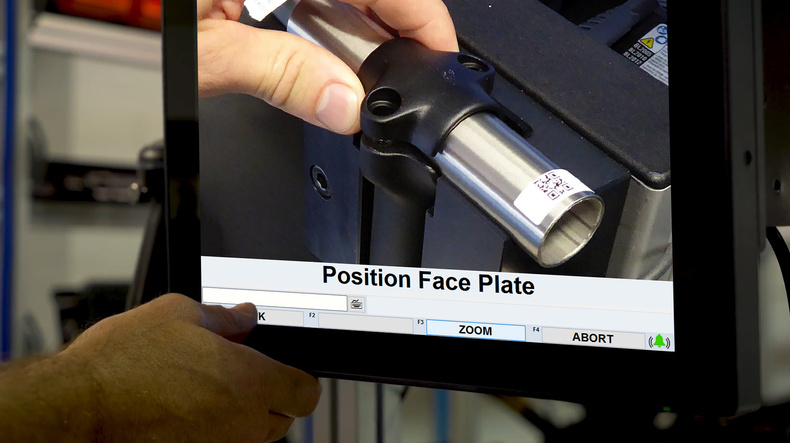
Digital work instructions are on-screen, step-by-step instructions to guide operators through complex tasks.
They can identify products, guide operators through the correct variant, capture process data, validate actions using connected tools or machine vision, while achieving complete traceability.
Work instructions are one of the first things manufacturers digitise among Industry 4.0 initiatives. With the right software provider, they can have a significant impact on your operations.
As you evaluate which tool is the right one for your organisation, ask these four questions to help you make the best choice.
How do digital work instructions add value?
Digital Work Instructions replace traditional paper-based manuals with interactive, visual, and real-time guidance for operators.
By delivering step-by-step instructions on a touch screen PC directly at the workstation, they standardise processes, reduce errors, and improve efficiency.
The main benefits of digital work instructions include:
- Error reduction and quality control – Step by step instructions with integrated in-process checks help detect issues immediately
- Faster onboarding and training – Visual and step-by-step instructions help new operators learn complex assembly tasks much faster than reading text in paper work instructions
- Traceability and Compliance – The system automatically collects production data to ensure compliance and quality control
What data is collected by the software?
Smart work instructions software goes beyond guiding operators. It also collects valuable data about your operations for traceability and compliance.
Types of data usually collected by the platform:
- Task and step confirmations – timestamps, digital signatures, Operator ID
- Cycle times
- Quality and measurement data – torque values and data from connected tools and sensors
- Traceability and Serial Data – Barcodes, QR codes, or component serial numbers
- Media capture
- Audit trail and compliance data – Complete historical logs required for regulatory standards like ISO, FDA, or IATF proving that procedures were followed without deviation
- Electrical test data: V, I, & R, Part ID, Control Module Data & DTC’s
Can the platform connect to your tools and devices?
True error-proofing of manual processes is only possible when your tools and devices are connected to your operator guidance system.
When connected, these devices objectively monitor operator actions, validate parameters in real time, and dynamically advance digital workflows without manual inputs
Examples of connected devices:
- Smart tooling - Integration to smart tooling ensures that all torque and angle parameters are met. It also verifies every tightening step through live feedback from the connected tool, immediately flagging any deviation or error.
- Pick to Light - Pick to Light devices guide operators to the correct bin to remove picking errors.
- Barcode scanners - Barcode scanners can error-proof your process with verification of correct parts.
What else can you do with the software? Will you outgrow it?
Is the solution scalable, allowing you to grow from a single workstation or pilot to factory-wide deployment?
Sorion’s Sextans process control software is a scalable system that grows with your organisation – starting simple, delivering immediate value, and evolving toward a connected manufacturing system.
If you are researching digital manufacturing systems, we’d be happy to talk to you.
Feel free to book a discovery call with us to identify practical ways that smart manufacturing technologies could help you error proof your processes and achieve end to end traceability.